top of page

Defina a empresa padrão ao fazer login.
Aprenda como alterar a empresa padrão exibida no menu inicial da plataforma.
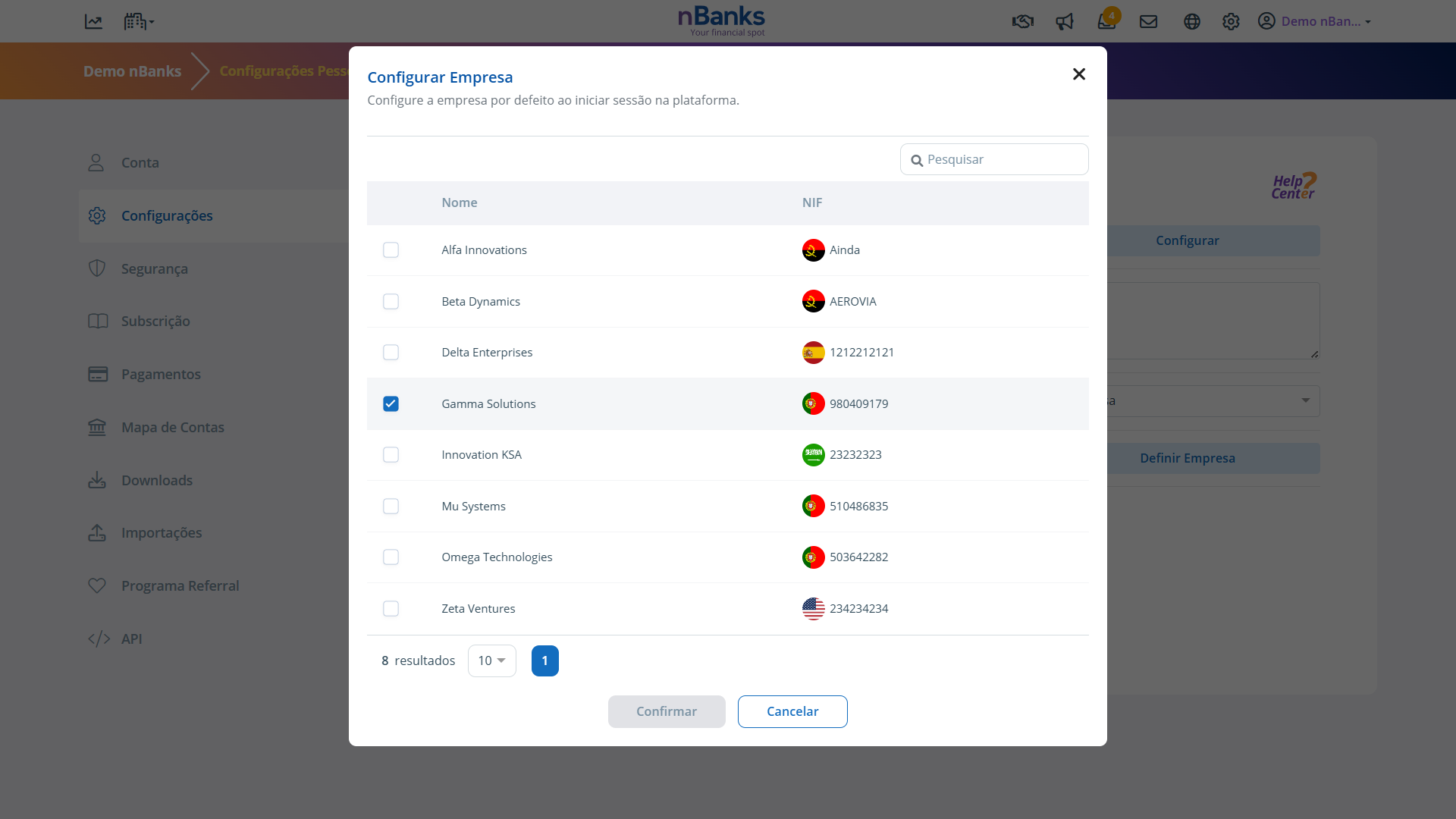
Essa funcionalidade permite que você defina qual empresa será selecionada por padrão ao acessar sua conta nBanks, garantindo acesso mais rápido à empresa que você utiliza com mais frequência.
Passo 1
Clique no seu nome de usuário, localizado no canto superior direito da plataforma, para abrir o menu Configurações .
Etapa 2
Selecione a opção Configurações .
Etapa 3
Na seção Empresa Padrão, escolha a empresa que deseja definir como padrão ao fazer login.
Passo 4
Salve as alterações feitas.
E é isso!
A partir de agora, sempre que você fizer login no nBanks, será automaticamente direcionado para a empresa que você definiu como padrão, tornando o acesso mais rápido e a navegação mais eficiente.
bottom of page