
Perguntas frequentes sobre módulos adicionais
Saiba mais sobre os Módulos Adicionais para Clientes consultando as perguntas mais frequentes dos clientes do nBanks.
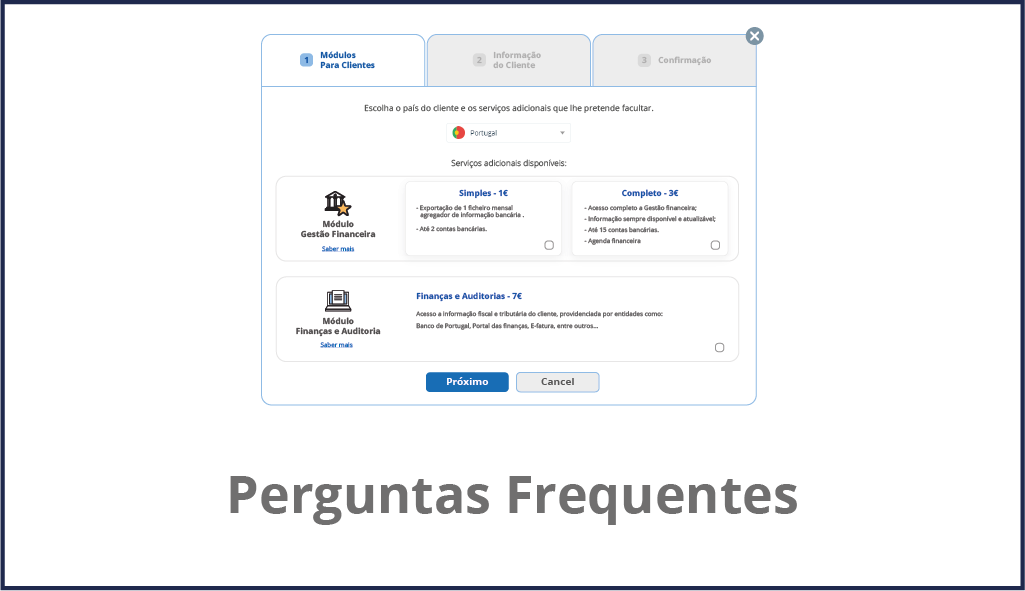
- Como funciona o pagamento desses módulos adicionais?
Os módulos adicionais para clientes utilizam um sistema de pagamento conforme o uso, que permite oferecer benefícios aos seus clientes e pagar somente após a ativação dos mesmos.
Todo mês, é gerada uma fatura consolidada para todos os módulos adicionais do cliente em uso, separadamente do seu plano nBanks.
- O que acontece depois que eu envio o convite ao meu cliente?
Após convidar seu cliente, o sistema nBanks envia automaticamente um e-mail apresentando os serviços do nBanks e convidando-o a acessar a Plataforma para usar os serviços que você oferece.
- O que acontece quando um cliente solicita a entrada no Portfólio?
Ao receber um convite de um cliente para integrar seu portfólio, você será notificado automaticamente na área de Clientes, onde poderá aceitar ou recusar o convite.
Caso o cliente não tenha acesso às funcionalidades básicas do nBanks, você deverá fornecer módulos adicionais para ativar o compartilhamento de informações com ele.
O que significa o sinal cinza “Possui plano nBanks”?
O cliente exibe o módulo adicional com o sinal cinza a partir do momento em que possui um Plano nBanks que inclui as funcionalidades apresentadas nos respectivos módulos. Portanto, você não precisará fornecer módulos adicionais a esse cliente para gerenciá-lo em seu portfólio.
- O que significa o sinal azul "Disponível"?
O sinal azul indica um cliente que já foi convidado a acessar seu Portfólio (com os respectivos Módulos adicionais selecionados que você forneceu), mas ainda não utilizou nenhum desses serviços na plataforma nBanks.
Clientes nessas condições ainda não contribuem para a sua fatura do mês atual.
- O que significa o sinal verde "Em uso"?
O sinal verde indica que seu cliente já utilizou os módulos adicionais que você disponibilizou na plataforma nBanks e, portanto, já está incluído na fatura do mês atual.
- O que significa o sinal vermelho "Cancelado"?
Este sinal indica que o módulo adicional do cliente em questão foi cancelado durante este mês. Como os serviços foram utilizados durante o mês corrente, eles ainda serão incluídos na fatura correspondente, sendo excluídos das faturas subsequentes.
- O que significa “Valor estimado”?
O “Valor estimado” corresponde ao valor agregado de todos os módulos adicionais selecionados. Como você paga apenas pelos módulos que estão em uso, esse valor corresponde ao valor máximo que você pagará quando os respectivos clientes começarem a usar os módulos.
- O que significa "Valor a ser faturado"?
Este valor corresponde à cobrança de todos os módulos adicionais utilizados pelos seus clientes neste mês. Este valor será adicionado à fatura mensal da sua assinatura nBanks.
- Por que meu cliente não exibe nenhum módulo adicional selecionado?
Se o seu cliente não apresentar nenhum módulo adicional selecionado com um dos sinais possíveis, significa que ele possui um plano nBanks bloqueado por algum motivo específico.
Contate esse cliente para que ele possa esclarecer a questão.
- O que acontece quando cancelo um módulo adicional de um cliente que está em uso?
Ao cancelar um módulo adicional de um cliente, dois cenários podem ocorrer:
-Se o módulo adicional estiver em uso, ele será suspenso imediatamente e exibirá o sinal vermelho, indicando que não será mais contabilizado na fatura do mês seguinte.
-Se o módulo adicional for disponibilizado (sinal azul), ele será suspenso imediatamente, sem custos adicionais, visto que não foi utilizado pelo cliente.