Resultados da pesquisa
Search this site
341 results found with an empty search
- Confirmings: Centralized Confirming Management | nBanks
nBanks achieves ISO 27001 certification for Information Security Management. 2 October 2026 Confirmings: Centralized Confirming Management Manage Confirming contracts, invoices, and supplier payments across all your banks in a single place. nBanks introduces Confirmings , a new product within the Financing module that brings all Confirming activity across financial institutions into one centralized view. Contracts, financial conditions, invoices, and supplier payments, previously spread across multiple bank portals, are now available on the same platform you already use to manage your finances. What is Confirming? Confirming is a financing solution that allows companies to manage supplier payments through their banks in a centralized and controlled process. The company keeps control over payment schedules and working capital, while suppliers gain the option to receive early payment. The result is a more resilient supply chain and an accounts payable function that becomes a strategic financial capability rather than an administrative one. The challenge For companies working with several banks, Confirming information is fragmented. Finance teams have to check each institution individually to know how much of each line has been used, which invoices are pending, and which payments are due. This limits visibility over payment commitments, makes cash flow planning harder, and increases manual effort and operational risk. Everything in one place Contracts — View every Confirming contract across your banks, including financial institution, contract number and description, start and renewal dates, utilization against the contracted limit , and contract status. Search, filter, sort, and export your contracts, and attach supporting documents to each one. Use the Refresh action to get the latest data on demand, and add new bank connections directly from Confirmings, without going to Access Management . Contract detail view — Access all information for a contract from a single screen: contract details, financial conditions, associated accounts, related operations, and invoices. Invoices — View all invoices linked to Confirming operations, regardless of the bank. Find any invoice by supplier name, tax identification number, or operation number , and filter by bank and status. Pending invoices are shown by default. Payments — Track all supplier payment operations, with status filters for Pending, Paid, Overdue , and Cancelled . Data is obtained directly from financial institutions and the complete payment history is preserved, ensuring full traceability over time. Financial Summary — See available funding amounts, rates, and financial conditions side by side, making it easier to compare banks and choose the most suitable financing option. Built for your finance team CFO — Gets a consolidated view of Confirming exposure and available funding across all banks, with the financial conditions needed to support better financing decisions. Treasury Manager — Plans cash flow with clear visibility over pending and overdue payments, utilization levels, and upcoming renewal dates. Accounts Payable Lead — Locates any invoice or payment in seconds and answers supplier queries without contacting each bank. Controller — Relies on a complete payment history and centralized contract documentation for audits and internal control. Learn more about Confirming Watch the video to see Confirmings in action: Download the ebook here to explore how Confirming can transform your supplier payment management. Access and permissions Confirmings is available through the Financing - Confirming add-on. In multiuser environments, access is controlled through the Financing and Financing - Confirming permissions, the latter defining View Access or Full Access to the product. Refreshing data also requires the Information Update permission. Benefits : Financial Full visibility over Confirming lines, utilization, and available funding across banks; Easier comparison of rates and financial conditions; Better cash flow forecasting and working capital management; Operational Contracts, invoices, and payments in one place, with no need to check each bank portal; On-demand data refresh and new bank connections from within Confirmings; Search, filter, and export across all Confirming data; Suppliers Faster answers to supplier queries on invoice and payment status; Governance Complete payment history for full traceability; Contract documents centralized alongside each contract; Granular access control through multiuser permissions. Available in all geographies. You can try this feature here . Previous Item Next Item
- SWIFT/BIC Support for Country Identification | nBanks
nBanks achieves ISO 27001 certification for Information Security Management. 13 November 2026 SWIFT/BIC Support for Country Identification The Country of Origin/Destination of bank transactions is now identified automatically in a wider range of scenarios, including international transfers where the counterparty's IBAN is not available. The Country of Origin/Destination of bank transactions is now identified automatically in a wider range of scenarios, including international transfers where the counterparty's IBAN is not available . Whenever the financial institution provides the counterparty bank's SWIFT/BIC code , the country is automatically identified based on that information for newly imported transactions. As with other transaction details, manual changes always take precedence over data received from the bank, ensuring that user decisions are preserved during future updates. For subscriptions with the Counterparty Identification (Complete) add-on , the SWIFT/BIC code is also displayed in the transaction edit window alongside the payer/beneficiary name and IBAN. It is also available in transaction exports and through the Public API via the new Payer/Beneficiary SWIFT/BIC field. With this enhancement, more transactions are automatically assigned to the correct country, reducing manual intervention and providing a more complete view of international financial flows. Benefits: More transactions with the Country identified automatically. Better coverage for the Countries analysis without manual effort. Available in all geographies. Previous Item Next Item
- Add Client to Portfolio | nBanks
nBanks achieves ISO 27001 certification for Information Security Management. Add Client to Portfolio Learn how to add a client to your nBanks account Portfolio. This feature allows accountants/auditors a quick and simple way to add their clients to the nBanks Portfolio. To do this, it is necessary to choose one of the three Service Modules that you want to provide to each of your clients. This way, you will be able to access and process your clients' information and consequently share these services with them. Step 1 Access the Portfolio area, in the top navigation menu. Step 2 Choose the " Clients " tab. Step 3 Click the " Add Client " button. Step 4 Select the Client's Country . Step 5 Select your associated Consumption Level (1, 2 or 3) and click " Continue ". Step 6 Enter the client company's NIF and click " Continue " again. Step 7 With the data validated, the client company is added. After everything is filled in and confirmed, the client will appear in your Client List. If the added company already has a paid nBanks subscription, the user will not incur any extra costs. Previous Item Next Item
- New Financing Area: Leasings | nBanks
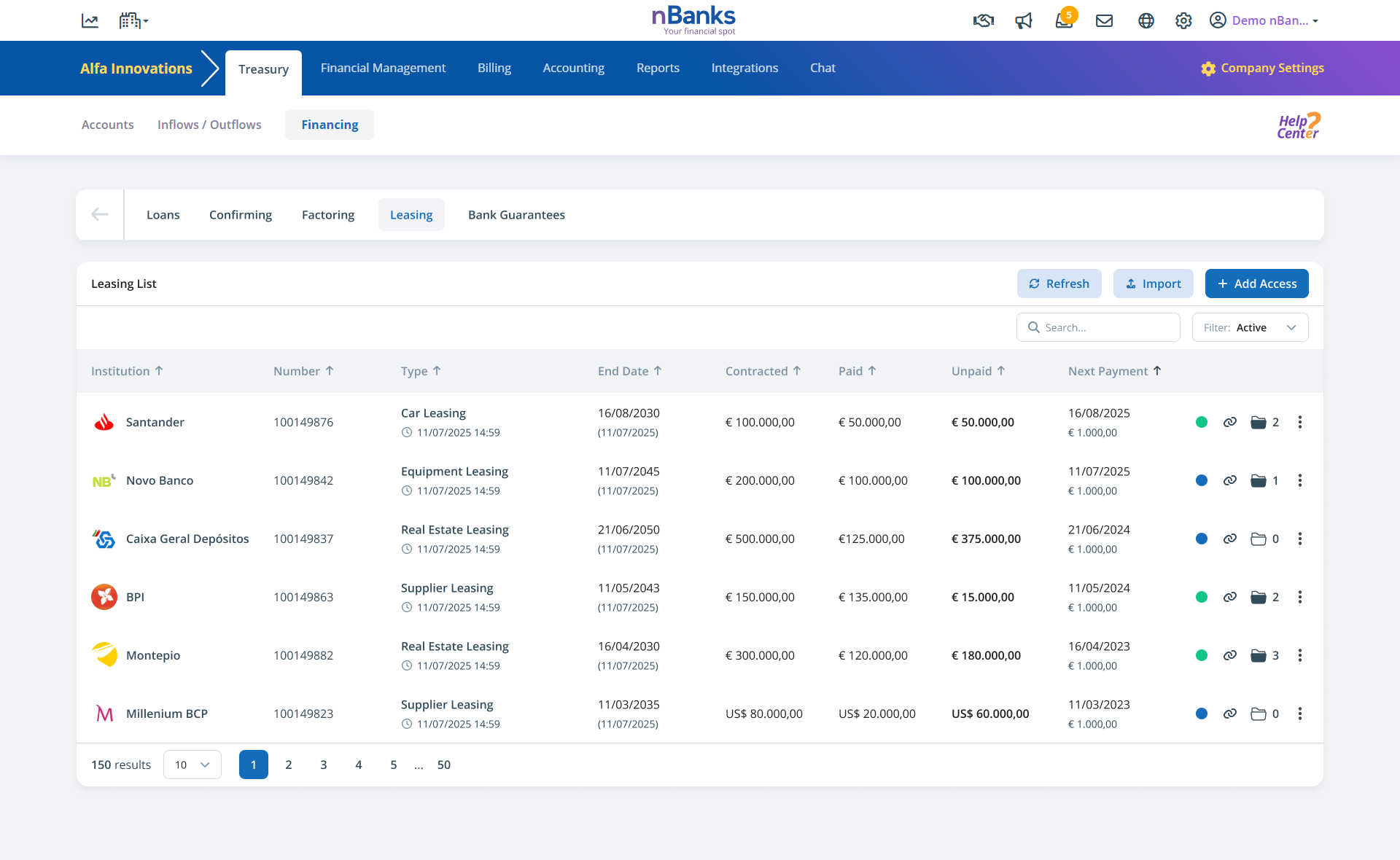
nBanks achieves ISO 27001 certification for Information Security Management. 6 November 2025 New Financing Area: Leasings New Leasings area allows centralized and efficient management of financial lease contracts. nBanks continues to expand the functionalities of the Treasury area, with the launch, in Beta phase, of the new Financing section: Leasings . This new area was developed to centralize and simplify the management of leasing contracts, allowing companies to monitor in detail all financial lease contracts for assets, such as vehicles, equipment, or machinery. This new functionality also allows managing information such as contractual terms, amounts to be paid, amortizations, and purchase options at the end of the contract, all in a clear and centralized manner. The Leasings functionality is integrated into the Financing area , next to the Loans tab, offering a unified and organized experience for controlling all financial obligations. With this update, companies will have greater visibility and control over leasing contracts, ensuring compliance with financial obligations and facilitating medium and long-term planning. To make the process more intuitive and efficient, the Leasings area allows : - Creating and editing leasing contracts associated with different types of assets (vehicles, equipment, machinery, among others); - Monitoring the status of contracts in real time; - Consulting terms, values, amortizations, and purchase options; - Integrating information with other Treasury areas, optimizing overall financial planning; - Centralizing all leasing contracts in one place, reducing manual tasks and data dispersion. This functionality is in Beta phase , which means it is ready for use, but may still be subject to adjustments and improvements based on user feedback. Benefits: - Centralized and organized management of leasing contracts; - Greater control over terms, values, and amortizations; - More efficient and predictable financial planning; - Easier compliance with contractual obligations; - Reduction of manual tasks and risk of error. Available in all geographies. You can try this feature here . Previous Item Next Item
- New column with the last account update date in Balances | nBanks
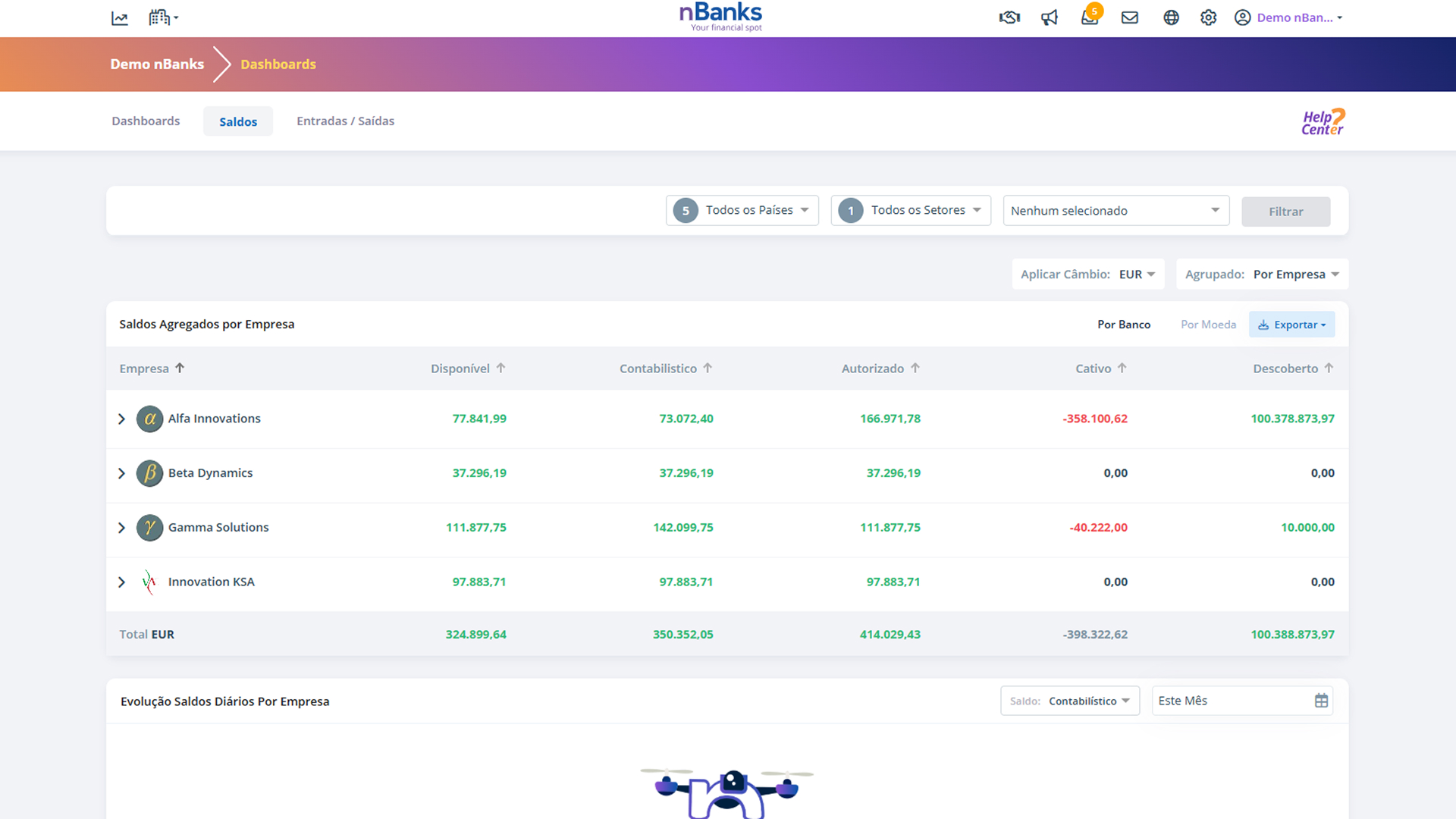
nBanks achieves ISO 27001 certification for Information Security Management. 9 December 2025 New column with the last account update date in Balances Excel files now indicate the last update, increasing transparency and financial accuracy. nBanks has just added a new feature to the Excel files exported from the Balances section in the Dashboards. Now, each export includes a column that allows you to consult the date of the last update for each account. This improvement provides greater transparency and accuracy in financial data analysis, strengthening information management and facilitating decision-making. Benefits: - Allows quick identification of when an account was last updated. - Facilitates the control and monitoring of exported data, increasing the reliability of the information. - Improves financial management, allowing for more informed and timely actions. Available in all geographies. You can try this feature here . Previous Item Next Item
- National Retail Payments Strategy until 2025 | nBanks
nBanks achieves ISO 27001 certification for Information Security Management. 24 October 2023 National Retail Payments Strategy until 2025 How does Banco de Portugal intend to boost the future of payments in Portugal? nBanks The National Retail Payments Strategy is a comprehensive plan developed by the Payments Systems Forum (FSP), an advisory body to Banco de Portugal, to promote secure, efficient, and innovative payment solutions in the Portuguese market. This strategy aims to improve accessibility and ensure the widespread adoption of electronic payment instruments. It focuses on four fundamental pillars: promoting a more informed society, leveraging the benefits of digital transformation, fostering a regulatory framework that promotes innovation and efficiency, and encouraging the adoption of more secure payment solutions. To enable users to make informed and efficient choices, the strategy emphasizes the need for comprehensive information and awareness campaigns. These initiatives, integrated into the first pillar of the strategy, aim to educate consumers, businesses, and public administration about the various payment solutions available and their functionalities. By providing clear and accessible information, the strategy aims to facilitate the adoption of the most appropriate payment instruments for different use cases. However, the rapid digitalization of economies and societies requires the development of faster, more available, and easier-to-use payment solutions. It is in this sense that the second pillar of the strategy focuses on promoting greater use of contactless technology, which allows for faster and more convenient payments at point-of-sale terminals. It also encourages the adoption of instant transfers, which provide secure and real-time availability and confirmation of funds for both consumers and businesses. The strategy aims to expand the network of contactless payment terminals and cards, ensuring their activation and usability. Furthermore, the strategy recognizes the importance of a regulatory framework that supports innovation and competition, while ensuring user security and protection. The third pillar highlights the implementation of strong customer authentication measures, as provided for in the second Payment Services Directive (PSD2). This includes the adoption of secure authentication mechanisms for online commerce and account ownership confirmation for payment security. The strategy also emphasizes the need to evaluate and review existing legislation to remove barriers that restrict the adoption of electronic payment instruments. Alongside combating fraud, security is a fundamental aspect of payment instruments to build trust among users and ensure the stability of the payment market. The fourth pillar reinforces the importance of encouraging the adoption of more secure payment solutions today, and therefore, the plan includes the development and adoption of authentication and validation mechanisms that enhance the security of payment operations. Payment service providers (PSPs) are also encouraged to choose strong authentication solutions that comply with regulatory requirements. In addition, mechanisms should be developed to allow users to increase security in payment operations, such as confirming the beneficiary's account ownership, known as Proxy Lookup. This service will be made available by Banco de Portugal to meet these needs and enhance convenience and security. In summary, the National Retail Payments Strategy in Portugal until 2025 aims to promote secure, efficient, and innovative payment solutions. Its main objective is, in a first layer, to empower users to make informed choices through comprehensive information campaigns and, in a second, to increase the prevention and capacity of systems, since the greater the innovation, the greater the sophistication of fraud. By embracing digital transformation and promoting a more inclusive and accessible payment ecosystem, the strategy seeks to drive the future of payments in Portugal. With the collaboration of key stakeholders, including the Government, Financial Institutions, and Payment Service Providers, the strategy aims to create a secure and efficient payment environment that meets the evolving needs of consumers, businesses, and the public sector. Overall, the National Retail Payments Strategy in Portugal presents a comprehensive and forward-looking approach that aims to maximize the benefits of digital payments for all involved stakeholders. Previous Item Next Item
- New digital document type: IBAN Certificate | nBanks
nBanks achieves ISO 27001 certification for Information Security Management. 1 September 2026 New digital document type: IBAN Certificate Proof of bank account ownership is now available directly in nBanks, retrieved automatically and ready to download whenever you need it. A new IBAN Certificate document type is now available in the Digital Documents area, letting you view and download proof of bank account ownership without leaving the platform. Each certificate is collected automatically during bank connection updates and is available for current accounts . Because it is a one-time document, each certificate is retrieved only once per account. This functionality is available to organizations with the Digital Documents add-on, with no additional configuration required. With this enhancement, banking documentation becomes more centralized and accessible , removing the need to log into individual bank portals just to obtain an IBAN certificate. Benefits: IBAN Certificates available directly in the Digital Documents area; Proof of account ownership viewable and downloadable in a few clicks; Certificates collected automatically during bank connection updates; No manual retrieval from individual bank portals; Works out of the box with the Digital Documents add-on, no extra setup; More centralized and accessible banking documentation. Available in all geographies. You can try this feature here . Previous Item Next Item
- Management of user access for each registered company | nBanks
nBanks achieves ISO 27001 certification for Information Security Management. Management of user access for each registered company Learn how to manage or change the access of each user registered on the platform. The Access Management feature allows you to control which users have access to the account of each company registered on the nBanks platform. This area was designed to ensure that only authorized people can consult, manage, or edit sensitive information , reinforcing security and compliance in the use of the platform. What is it for? - Assigning access to new employees who need to use nBanks. - Removing access for users who are no longer part of the company or do not need access to financial information.- Defining differentiated permissions, according to each user's profile or functions. - Ensuring security in the processing of the company's banking and financial data. Step 1 To manage user access, you must go to the Group Settings area in the top menu. Step 2 Here you can see the list of registered users and invite new ones. Step 3 To change a user's access permissions, you must choose a user and click on " Actions " and then on " Configure ". Step 4 Select one of the companies that user has access to and define the permission pattern (Administrator, Management, Consultation, Custom). Step 5 Then, click Continue and choose the type of visualization the user will have in each area (No Visualization, Full Visualization, Inflows and Outflows Without Balances, Only Inflows, Only Outflows). Step 6 Click on " Save ". And that's it, from now on, the user will only have access to the defined companies and functionalities. These accesses can be changed at any time. Previous Item Next Item
- Control of Inflows and Outflows by Company | nBanks
nBanks achieves ISO 27001 certification for Information Security Management. 25 March 2025 Control of Inflows and Outflows by Company Aggregated view of inflows and outflows by company, in one place. Aggregated view of inflows and outflows by company, in one place. New improvements have been introduced in this feature, such as: - Possibility to consult Inflows and Outflows individually or simultaneously (configured in user permissions at the bank account level); - Possibility to update all bank accounts at the same time (according to each user's permissions). Available in all geographies. You can try this feature here . Previous Item Next Item
- Payment Terminal Information | nBanks
nBanks achieves ISO 27001 certification for Information Security Management. 3 April 2025 Payment Terminal Information Centralized consultation of payment terminal movements and closings. Centralized consultation of payment terminal movements and closings. View all information from payment terminals across multiple establishments, including closings and movements, and synchronization with SIBS and Reduniq back-office. Benefits: - Centralization of payment terminal information from all establishments in one place, facilitating management and control; - Greater visibility and financial control, with access to details of closings and movements for each terminal; - Automatic synchronization with SIBS and Reduniq backoffices, ensuring updated and reliable data without the need for manual entries; - Facilitates reconciliation and sales analysis by automatically cross-referencing terminal data with other sources; - Reduces operational errors and saves time by eliminating manual and dispersed information gathering tasks. Available in all geographies. You can try this feature here . Previous Item Next Item
- New banking entities added | nBanks
nBanks achieves ISO 27001 certification for Information Security Management. 22 January 2026 New banking entities added 12 new banks available on the platform. The following banks are now available on the platform: - Raiffeisen Bank (Czech Republic) - UniCredit (Czech Republic) - Komerční Banka (Czech Republic) - Česká Spořitelna (Czech Republic) - BW-Bank (Germany) - PKO Bank (Poland) - UniCredit (Italy) - Banque Populaire (Morocco) - CaixaBank (Morocco) - BNP Paribas Enterprise (France) - BCI-NAFA (Guinea) - Investec Available in the following geographies: Czech Republic, Germany, Poland, Italy, Morocco, France, Guinea . You can check all available banks here . Previous Item Next Item
- Transaction Country Identification | nBanks
nBanks achieves ISO 27001 certification for Information Security Management. 2 September 2026 Transaction Country Identification Bank transactions now carry country of origin and destination information, making it easy to see the country behind each movement. A new Country of Origin/Destination field is now available when editing transactions in both Bank Accounts and Portfolio . Whenever a transaction contains a valid payer or beneficiary IBAN, the country is automatically identified from the corresponding country code. The country can also be defined or modified manually at any time, giving you greater flexibility and control over transaction information. When no country is associated with a transaction, it appears as Not Defined . To make the field convenient to use, you can search directly by country or continent or browse the selection list, organized alphabetically by continents and countries. A visual indicator has also been added to the Bank Accounts transaction list. Whenever a transaction's country of origin or destination differs from that of the associated bank account, the country flag is displayed, so you can spot it immediately. With this functionality, bank transactions gain an additional geographical dimension , enabling richer and more detailed analysis. Identifying where transactions come from and go to becomes simpler, supporting faster review, validation, and reconciliation, especially in environments with frequent international operations. Edit Transaction Modal Benefits: Country of origin/destination available on every bank transaction; Automatic country identification from valid payer or beneficiary IBANs; Manual country assignment for full flexibility and control; Quick search by country or continent, plus an alphabetically organized list; Country flag shown when a transaction differs from its bank account's country; Richer geographical analysis of financial flows; Faster review, validation, and reconciliation for international operations. Available in all geographies. You can try this feature here . Previous Item Next Item