
25 September 2025
Custom Views for users
New Custom Views for greater flexibility in managing permissions for different users.
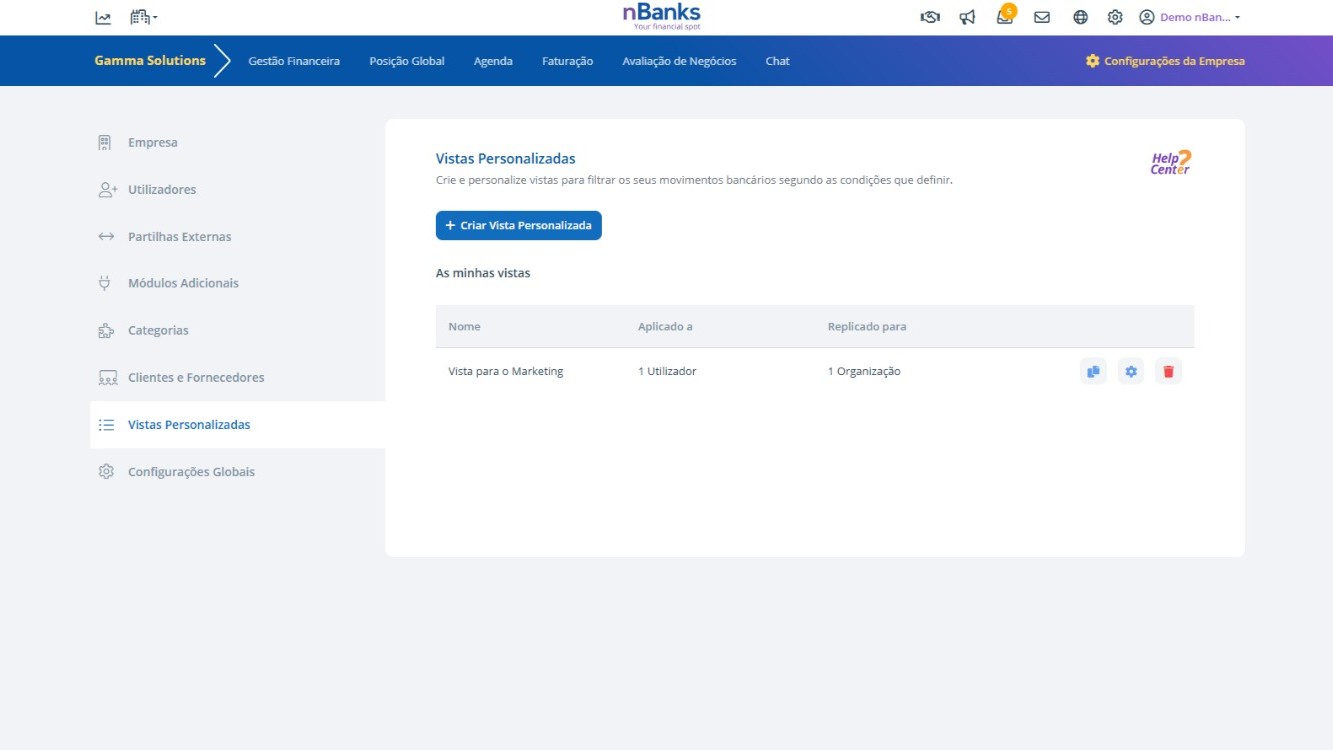
nBanks now offers the Custom Views feature, allowing greater control over the financial information visible to each user within the platform.
Who has access to the Custom Views menu?
Custom Views are only available to the company's master profile, i.e., profiles with Administrator permission. Users with Management or Consultation permission do not have access to this area.
What are Custom Views for?
Custom Views allow the Administrator to create limited views of transactions, restricting access by categories or descriptions, for a specific user.
Example by category: The Administrator can define that User A does not see the “Salaries” category.
Example by description: The Administrator can define that transactions with the word “TRF” are not displayed to User B.
Which areas of the platform are affected?
The restrictions defined in a Custom View apply to the entire platform. In the example of the “Salaries” category, User A will not have access to this information in any area, whether in the Budget, CashFlow, or any other section that presents related data.
Benefits:
- Greater control and security over the sharing of financial information;
- Possibility to adapt the view to different user profiles;
- Protection of sensitive data, such as salaries or specific transfers;
- Consistency in restrictions applied across all areas of the platform.
Available in all geographies.
You can try this feature here.